Latest version available

Download the suna1 App — Android, iOS & PCGet the Best Gaming Experience at

The platform trusted by hundreds of thousands of players in Bangladesh is now in your pocket. Live Casino, Sports Betting, slots — all in one place on the suna1 app.

50+Game Categories
15 minFast Withdrawal
24/7Support
300,000+Active Users
suna1

Choose your device and Start Download

Suna1 is available on all three platforms — Android, iOS, and PC. You get a consistently smooth experience no matter which device you use.

Android App

Compatible with any smartphone or tablet running Android 6.0 or above. The APK installs directly on your device — no Google Play required.

v3.8.2 Android 6.0+ 48 MB
APK Download

IOS App

Optimized for iPhone and iPad. Requires iOS 12 or above. Install directly from the App Store.

v3.8.1 iOS 12+ 52 MB
iOS Download

PC / Browser Version

Play instantly on Windows or Mac using any modern browser. Full experience, no installation needed.

Web App Chrome/Firefox No Installation
Open in Browser

On Android Installation Steps

Installing the suna1 APK is quick and easy. Just follow a few simple steps and the app will be up and running on your phone.

1
Create Account

Start by registering for free on suna1. You can open an account in just 2 minutes using your mobile number or email.

2
Download APK

Tapping the download button will save the APK file to your phone. The file is usually found in your "Downloads" folder.

3
Enable "Unknown Sources"

Go to Settings → Security → Unknown Sources and toggle it on. You only need to do this once.

4
Run the APK File

Tap the suna1.apk file in your Downloads folder and hit "Install". Once installation is complete, open the app.

5
Log in and start playing

Open the app and log in to your account. Enjoy a 200% bonus on your first deposit.

Safe Installation

The suna1 APK is completely virus-free and safe to install. Every update goes through a third-party security scan before release.

suna1
iOS Installation Steps
1
Tap the iOS Download Button

Tap the iOS download link on the suna1 page. It will take you directly to the App Store listing.

2
Tap the Get Button

Tap "Get" or the download icon on the App Store page. Confirm with Face ID or Touch ID.

3
Log In After Installation

Once installed, tap the app icon and log in to your suna1 account.

Why the suna1 App Best choice?

More than just a place to play — every feature of the suna1 app has been built with Bangladeshi players in mind.

Fast Loading

The app loads quickly even on slow networks. Live games run without interruption on a 3G connection.

Mobile Optimized

Everything is crisp and clear even on smaller screens. Buttons and chip sizes are perfectly sized for finger taps.

Push Notifications

Get instant notifications about new promotions, bonus offers, and tournaments.

Secure Login

Supports Fingerprint and Face ID login. No need to type your password every time.

Fast Payment

Deposit and withdraw directly through the app via Mobile Banking, Nagad, and Rocket.

Game History

View your full betting history. See exactly how much you've won or lost on each game — all in one place.

In-App Chat Support

Chat with the support team without ever leaving the app. Help is available in Bengali.

Auto Update

The app will notify you when a new version is available. Updates take just a few seconds to complete.

App vs. Mobile Browser — What's the difference?

Some people wonder why they should download the app when they can just play in the browser. The comparison below makes the difference clear.

Features Suna1 App Mobile Browser
Loading Speed Lightning Fast Relatively slower
Push Notifications ✓ Available ✗ Not available
Fingerprint Login ✓ Available ✗ Not available
Offline Caching ✓ Available Limited
Battery Usage Less Relatively higher
In-App Support Chat ✓ Available ✗ Not available
Live Stream Quality HD Optimized Normal
Exclusive App Offers ✓ Exclusive Bonus ✗ Not available
Exclusive Benefits for App Users

Download the suna1 app and log in for the first time to receive a free bonus of BDT 50. Plus, enjoy app-exclusive cashback offers every week.

suna1

About the suna1 App Learn More

Why Is the suna1 App So Popular?

Online gaming is growing fast in Bangladesh, and most people do everything on their smartphones. suna1 understands this reality and built its mobile app as a top priority from day one. This is not just a mobile version of a website — it is a fully native app, purpose-built to take advantage of every capability a mobile device has to offer.

suna1The moment you open the suna1 app, you'll notice how clean and easy the interface is. Even players who have never bet online before will find it straightforward to navigate. Everything is clearly labeled, the buttons are large and easy to tap, and payment options include Mobile Banking, Nagad, and Rocket right up front.

What Games Are Available on the App?

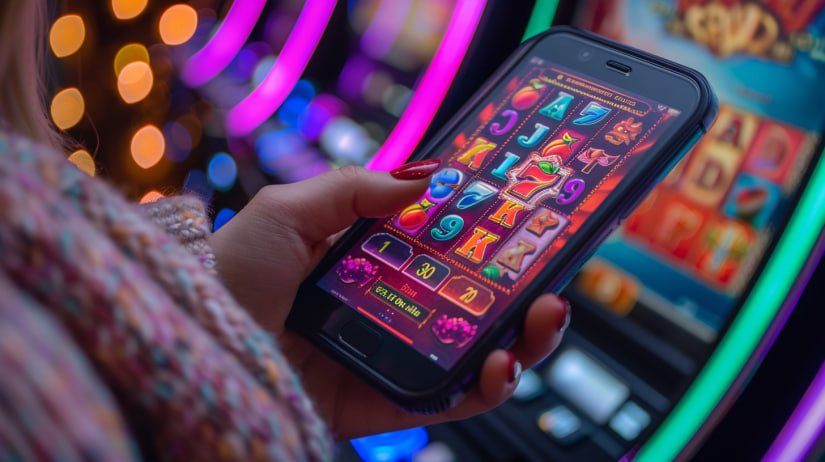
The suna1 app has over 500 games. In the Live Casino section, you can play Baccarat, Roulette, Blackjack, and Dragon Tiger — all with real dealers. The Sports section lets you bet on cricket, football, tennis, and all the world's major tournaments. And for slots, there are hundreds of titles across different themes and paylines, all right in your hands.

Worth highlighting are suna1's crash games and fishing games — both hugely popular among younger players in Bangladesh. In crash games, cashing out at the right moment can land you a big multiplier, while fishing games offer the chance to play together as a team.

How do payments and withdrawals work?

suna1 Making payments in the app is as simple as sending money via Mobile Banking or Nagad. To deposit — tap the "Deposit" button in the app, enter the amount, choose your payment method, and confirm. Your balance is usually updated within 1–5 minutes.

Withdrawals are just as easy. After winning, go to "Withdraw", enter your Mobile Banking or Nagad number, and type in the amount. Once verification is complete, funds are typically transferred to your account within 15 minutes to a maximum of 6 hours. VIP members are processed even faster.

Security & Privacy

Many users hesitate to download apps from outside official stores due to security concerns. suna1 is completely transparent about this. Every APK file is scanned by a reputable cybersecurity firm before each update. Your personal data and financial transactions are protected with SSL encryption. With Fingerprint or Face ID login enabled, no one else can access your account.

suna1 An internationally licensed platform. User data is never sold to third parties. As part of responsible gaming, spending limits and self-exclusion options are available directly within the app.

Updates & New Features

The suna1 team rolls out at least one major update every month — adding new games, improving payment methods, and boosting app performance. It's worth updating as soon as you get the notification, since new versions often come with a special launch bonus.
suna1
System Requirements
  • Android: Version 6.0 or above, minimum 2GB RAM, 100MB free storage
  • iOS: iPhone 6s or newer, iOS 12.0+, 110 MB free storage
  • Internet: Minimum 3G required; 4G/WiFi recommended for live games
  • PC: Chrome 90+, Firefox 88+, Edge 90+
  • Location: Accessible from Bangladesh and other supported countries
App Rating
4.8
★★★★★
12,430+ Reviews
  • 96% of users have recommended the app to a friend
  • 98% satisfaction with the payment system
  • Average live support response time of 2 minutes

Standard FAQ

The most common questions about downloading and installing the app.

Yes, it is completely safe. Every update to the suna1 APK is scanned for viruses and malware by third-party security experts before release. Only download from the official suna1 website — never from any other source.

No, it won't cause any harm. Unknown Sources is an Android security setting designed specifically for installing trusted APKs. You can turn the option back off after installation if you prefer. Most importantly — only download the official suna1 APK.

The Android APK is approximately 48 MB and the iOS app around 52 MB. After installation, cache and data may use up to 150–200 MB of storage. It's a lightweight app that runs comfortably on any modern smartphone.

The suna1 app runs on any phone with Android 6.0 Marshmallow or above. If your phone runs Android 5.x or lower, you can still play by visiting the suna1 website directly through your mobile browser — the experience is nearly identical.

When a new version is available on Android, you'll receive an update notification directly within the app. Just tap the button and the new APK will download automatically. On iOS, simply go to the App Store and tap Update.

No, a separate account is not required. You can log in to the app using your existing suna1 account. Your balance, bonuses, and game history stay synced across all devices.
📲

Right Now Download and Start Playing

Download the suna1 app and get a 200% bonus on your first deposit. Registration is completely free.

বাংলা